Daily 311 + FEMA disaster recovery — for any local government
Turn citizen reports into action.
Give residents one place to report a pothole, a blocked road, or storm damage. Staff see the work on a live map, assign it, track it, and keep the records needed for daily operations and disaster recovery.
Free to start · web-only, no app download · built by a firefighter
Quick Response nationwide: Monitoring official public-safety feeds. No community response is open right now.View →What you can use in Pin311
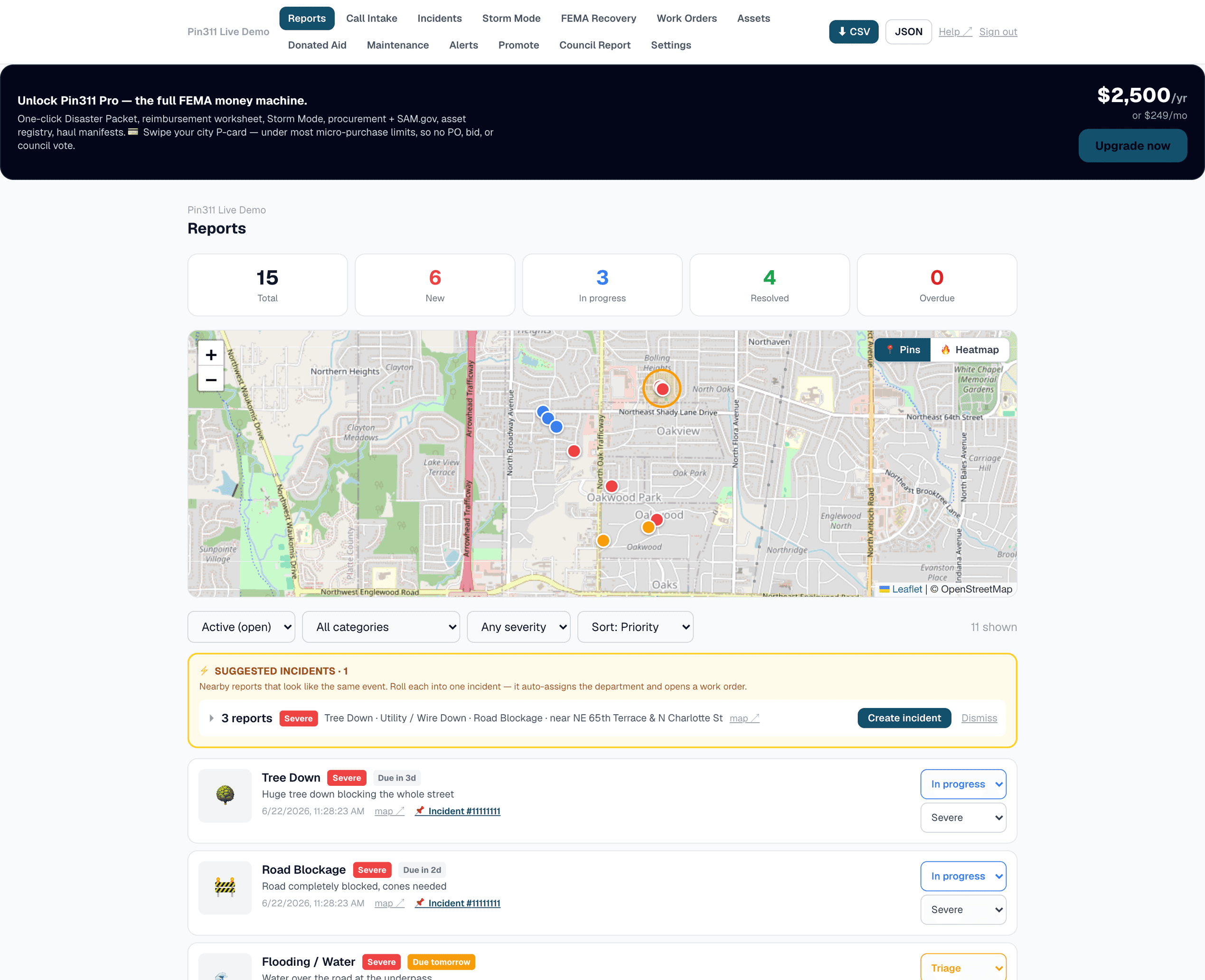
The real dashboard — click to explore the live demo
Intake
LivePin + photo. No login. 60 seconds.
Daily 311
LivePotholes to storms, with due dates.
FEMA
LiveThresholds, PDA + reimbursement.
Close-the-loop
LiveResidents track their report to resolution.
Mutual aid
LiveNeighbors claim & clear; hours → FEMA credit.
Procurement
Live2 CFR Part 200 checklist + SAM.gov debarment check.
Assets & fleet
LiveRegistry, pre-trip checks, PM reminders.
Storm Mode
LiveDeclared events + NWS anchor → one Disaster Packet.
Every day. Every disaster. One platform.
One place for resident reports, field work, and recovery records.
Start with a public reporting link. Add work orders, storm response, and FEMA documentation when your team needs them.
Everyday 311
Run the town between storms.
Use the same simple system for routine service requests all year. If a storm arrives, residents and staff already know where to go.
Simple resident reporting
A resident marks the location, adds a photo, and chooses the problem. The form works in a phone browser without an account.
Keep residents informed
Each report gets a tracking link. Residents can check the status without calling city hall for an update.
Call intake
A clerk logs a phoned-in report in seconds — type the address, it drops the pin, and warns if a neighbor already reported it.
Everyday 311 + SLAs
Potholes, code, parks, water — every request gets a due date. Overdue items surface so nothing slips.
Recurring maintenance
Hydrant flushing, mowing, inspections — schedule it once and it reschedules itself when done.
Incidents & routing
Group duplicate reports into one incident; promoting it auto-assigns the department and opens a work order.
Assets & fleet
Register trucks & equipment, link each to its FEMA rate, run daily pre-trip checks; a defect opens a work order automatically.
Council-ready scorecard
Requests in vs. closed, % on-time, average resolution time — a service report for any date range.
Get residents on board
A 'Report an issue' button for your website + printable QR posters — adoption built right in.
FEMA documentation
Build the record while the work is happening.
FEMA reimbursement depends on eligibility and documentation. Pin311 keeps reports, crew time, equipment use, purchases, and supporting files together so your team has a cleaner record to review and submit.
Aid indicators + PDA
Compare documented damage with current county and state impact indicators, then prepare a Preliminary Damage Assessment export.
Reimbursement worksheet
Organize crew labor and equipment time with the selected FEMA equipment rates for review.
Procurement + SAM.gov
Pay a contractor with FEMA money and the 2 CFR Part 200 checklist guides quotes, thresholds, and an automatic SAM.gov debarment check.
The details reviewers need
Separate operating and standby equipment time, record right-of-way decisions, and create a ticket for each debris load.
Document donated resources
Record volunteer time and donated equipment so eligible contributions can be reviewed for local cost-share credit.
One event packet
Bring reports, photos, time logs, equipment, materials, haul tickets, and procurement records into one printable packet.
Storm response & community
Give the community one useful place to respond.
Residents report damage, neighbors take on safe help requests, and officials see the same activity on one map.
Storm Mode
Declare a storm with its FEMA incident period; we anchor the National Weather Service alerts and tag every report, photo & crew hour to that event.
Neighbors helping neighbors
Residents claim & clear each other's storm damage — red needs-help, amber on-the-way, green done. Spontaneous volunteers, finally organized.
Resource hubs
Shelters, cooling centers, water & supply points, donation drop-offs — on the live map so residents know where to get and give help.
Road closures & detours
Trace closed roads and draw the detour route on the map — residents see what's closed and exactly how to get around it.
Public live map
Every town gets a privacy-safe public map of reported issues, hubs, and closures with a Report button — share it on your site or social.
Built for real operations
Give each person the access their job requires.
Roles, crews & contractors
Granular per-person access, plus scoped outside contractors who log hours straight into FEMA reimbursement via a no-login link.
County & state rollup
Counties and states see every city's data live, while each local government keeps control of its own.
See every screen
See what staff and residents actually use.
These are screens from the working demo. Open any one to try the workflow yourself; no signup is required.
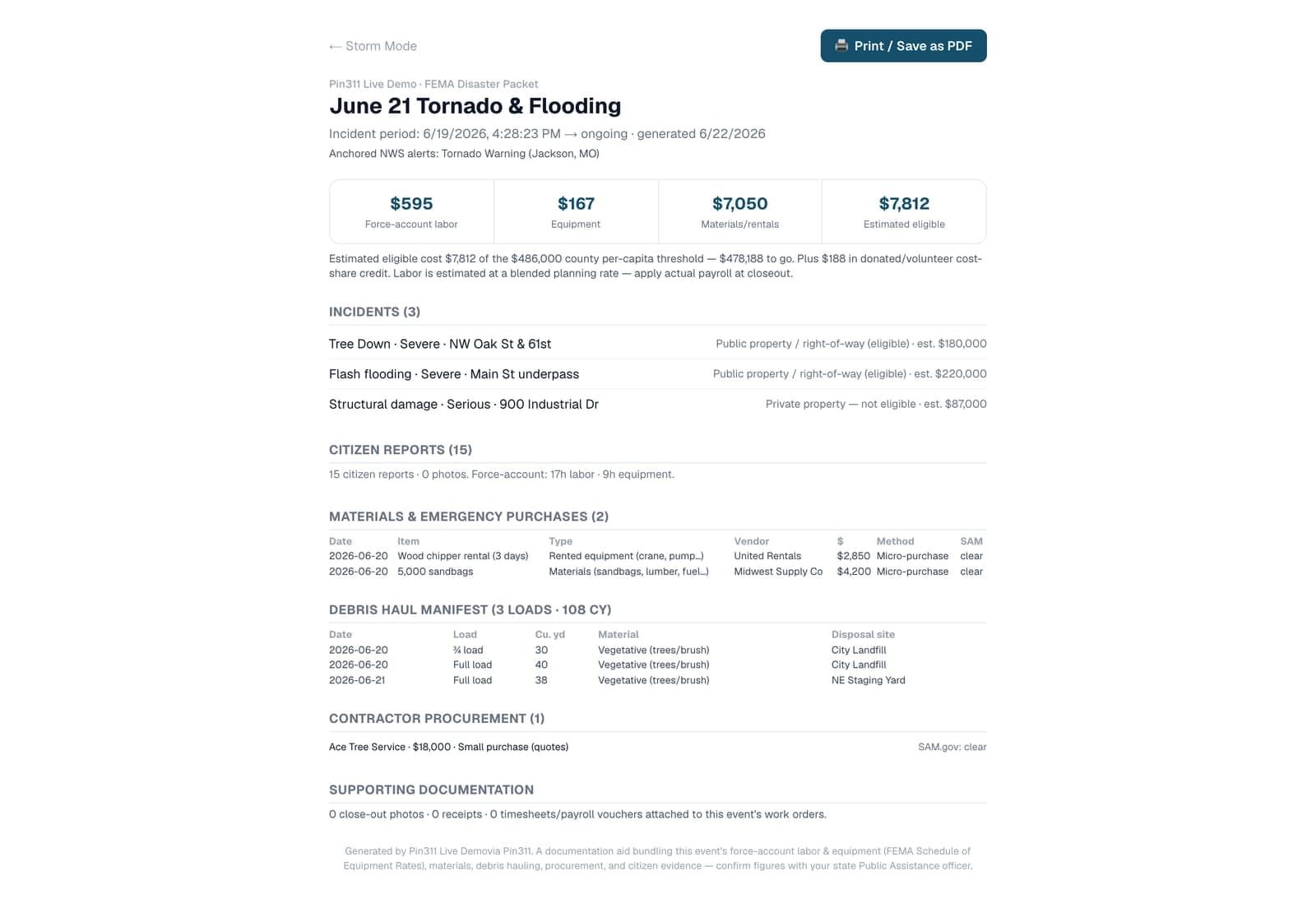
The deliverable
A clear record for one declared event.
Review reports, photos, crew and equipment time, purchases, haul tickets, and procurement files together. Download the sample to see exactly what Pin311 produces.
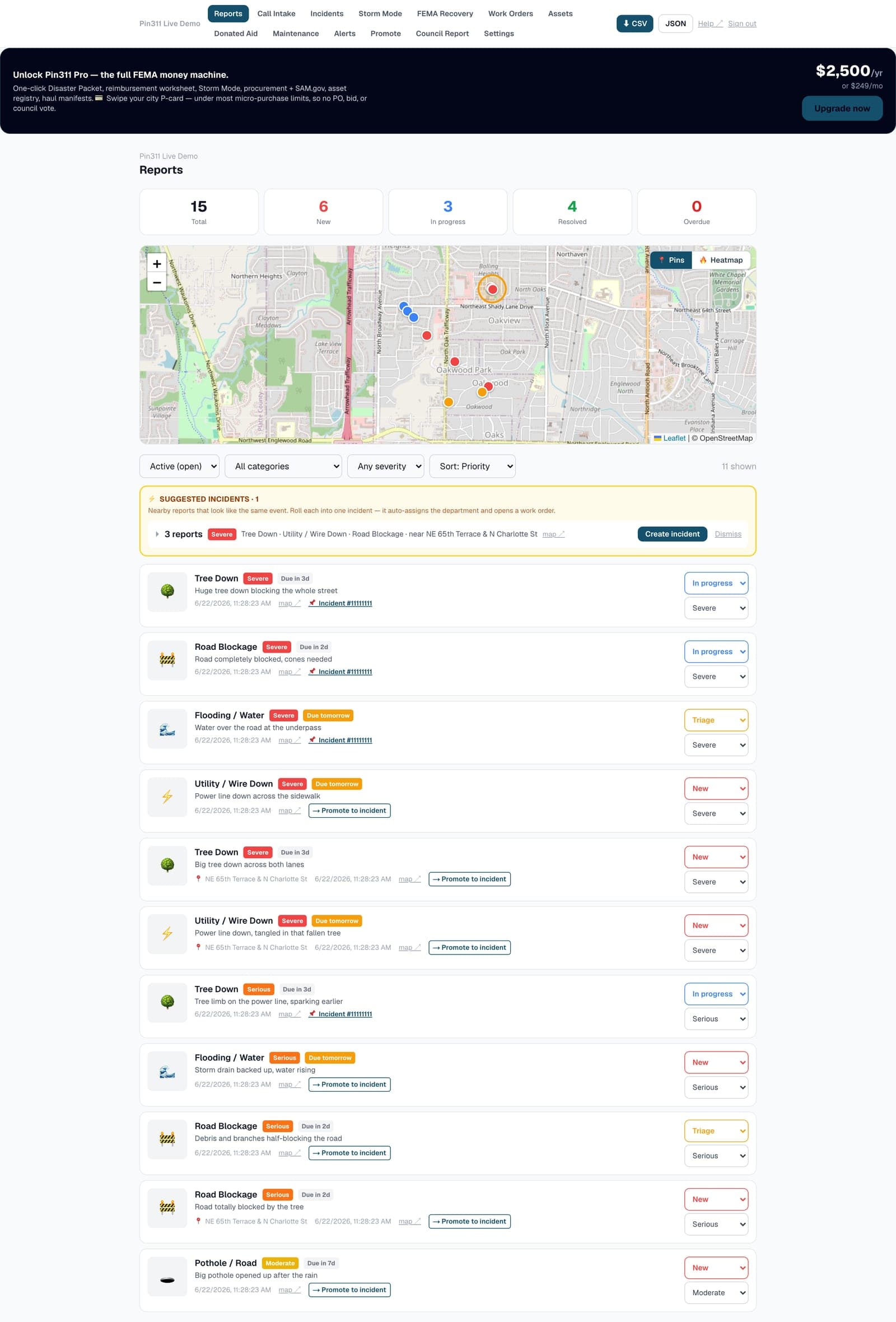
Command dashboard↗
Live map, open incidents, crews and the running FEMA damage total — the whole town at a glance.
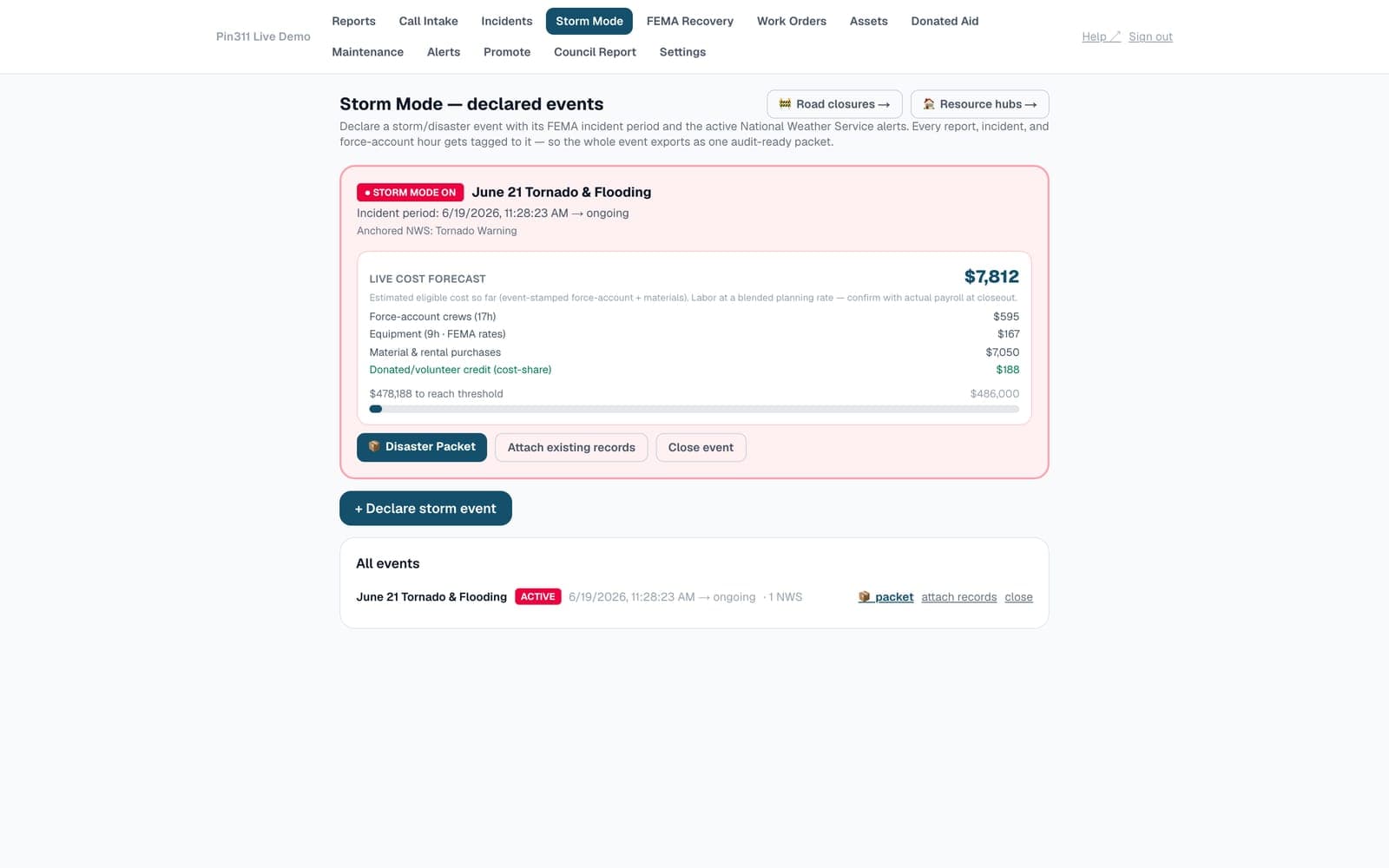
Storm Mode↗
Declare an event with its FEMA incident period; National Weather Service alerts auto-anchor to it.
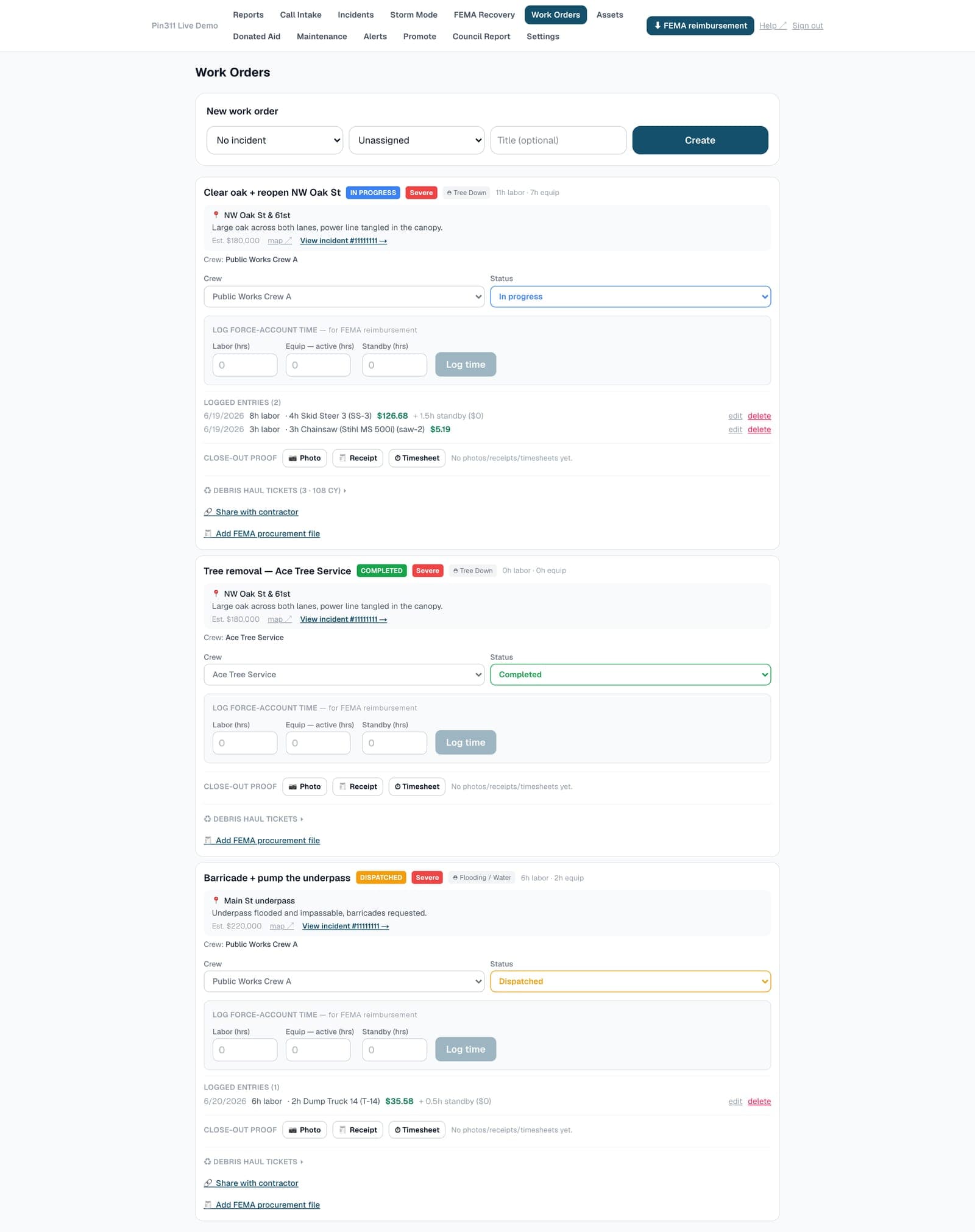
Work orders + force-account↗
Crews, status and labor/equipment hours — active vs. standby — logged against named assets at FEMA rates.
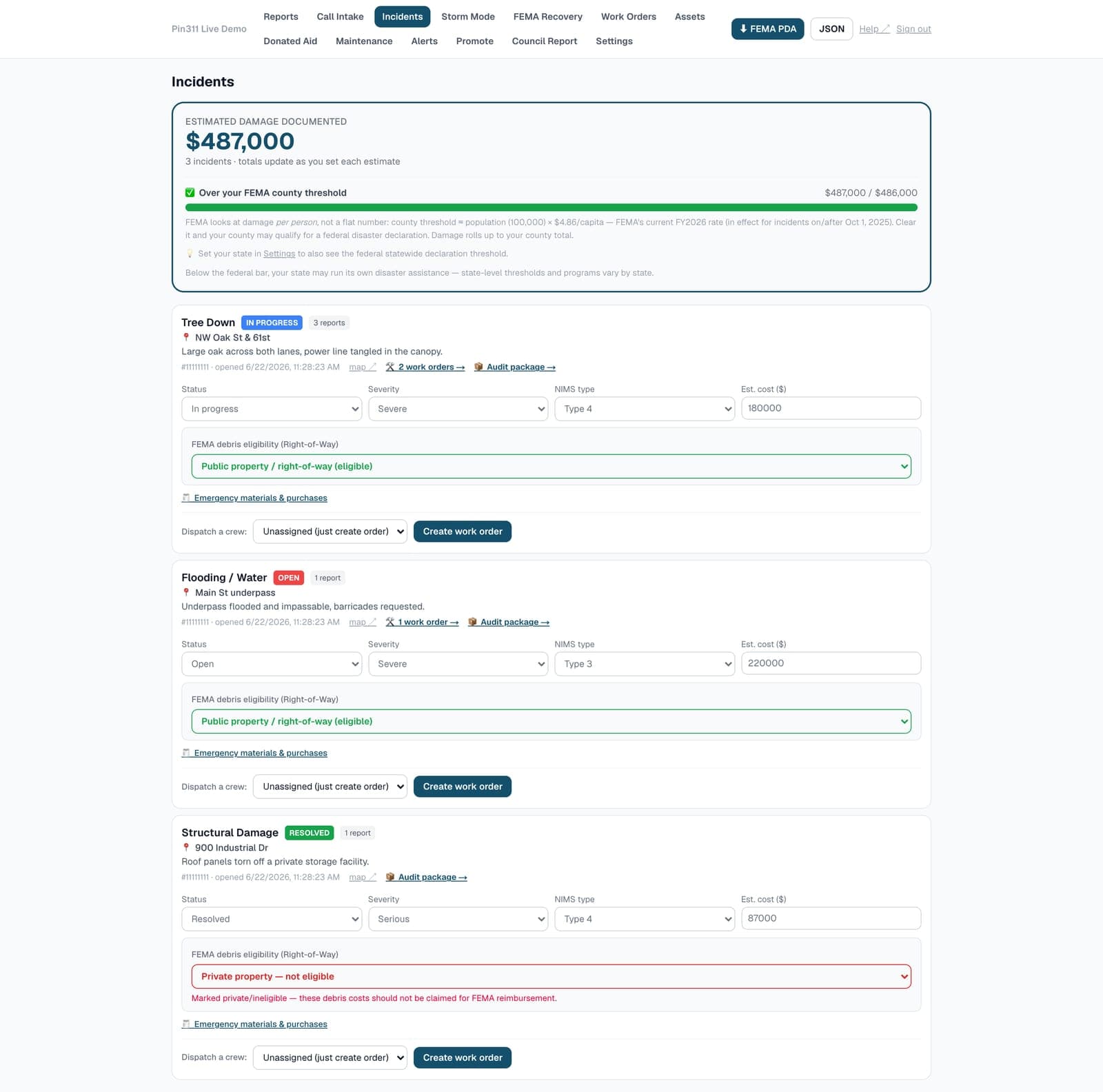
Incidents + ROW eligibility↗
Group duplicate reports into one incident and flag right-of-way eligibility on every debris site.
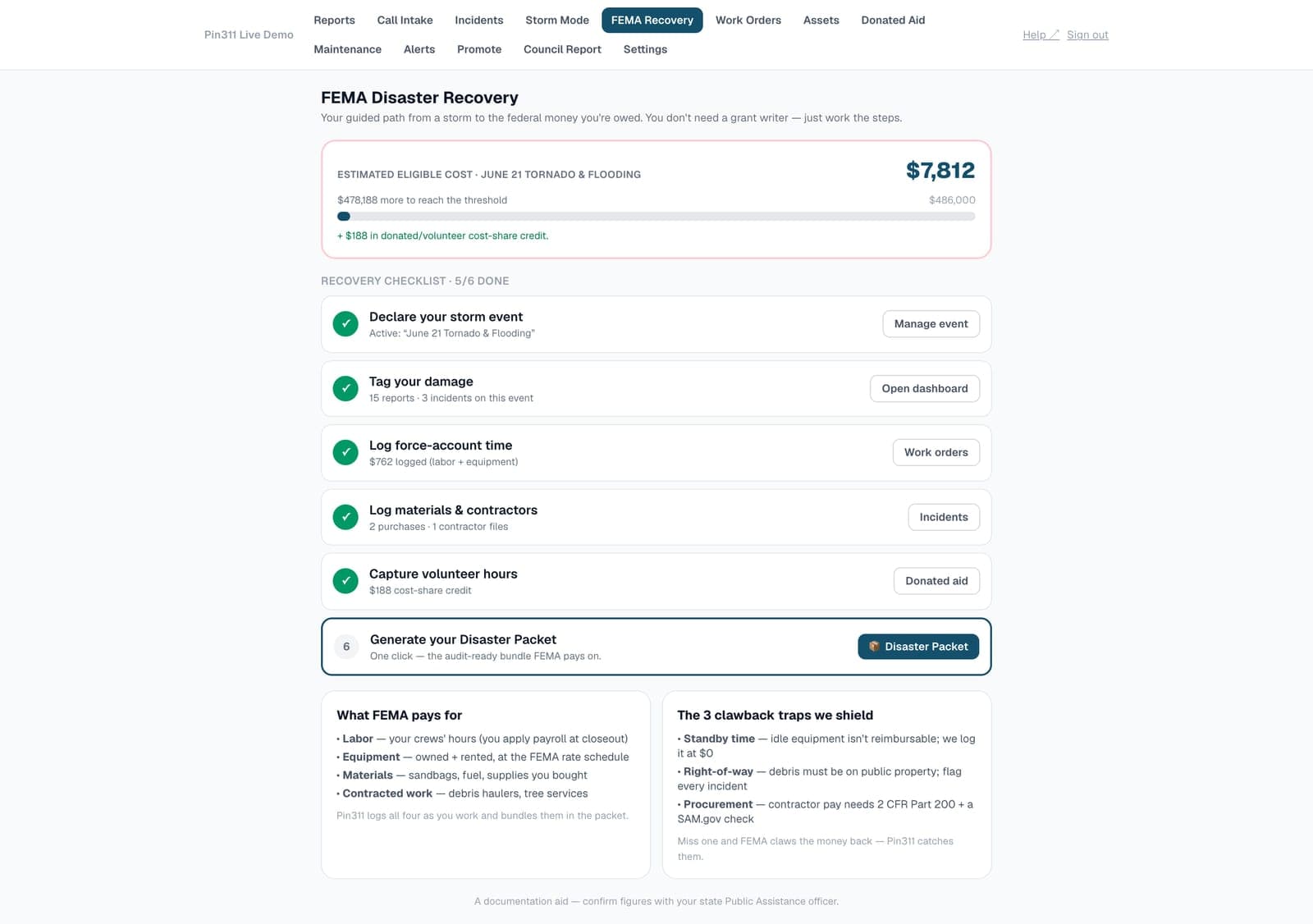
FEMA Recovery hub↗
A guided checklist and threshold speedometer that walks you from storm to submitted packet.
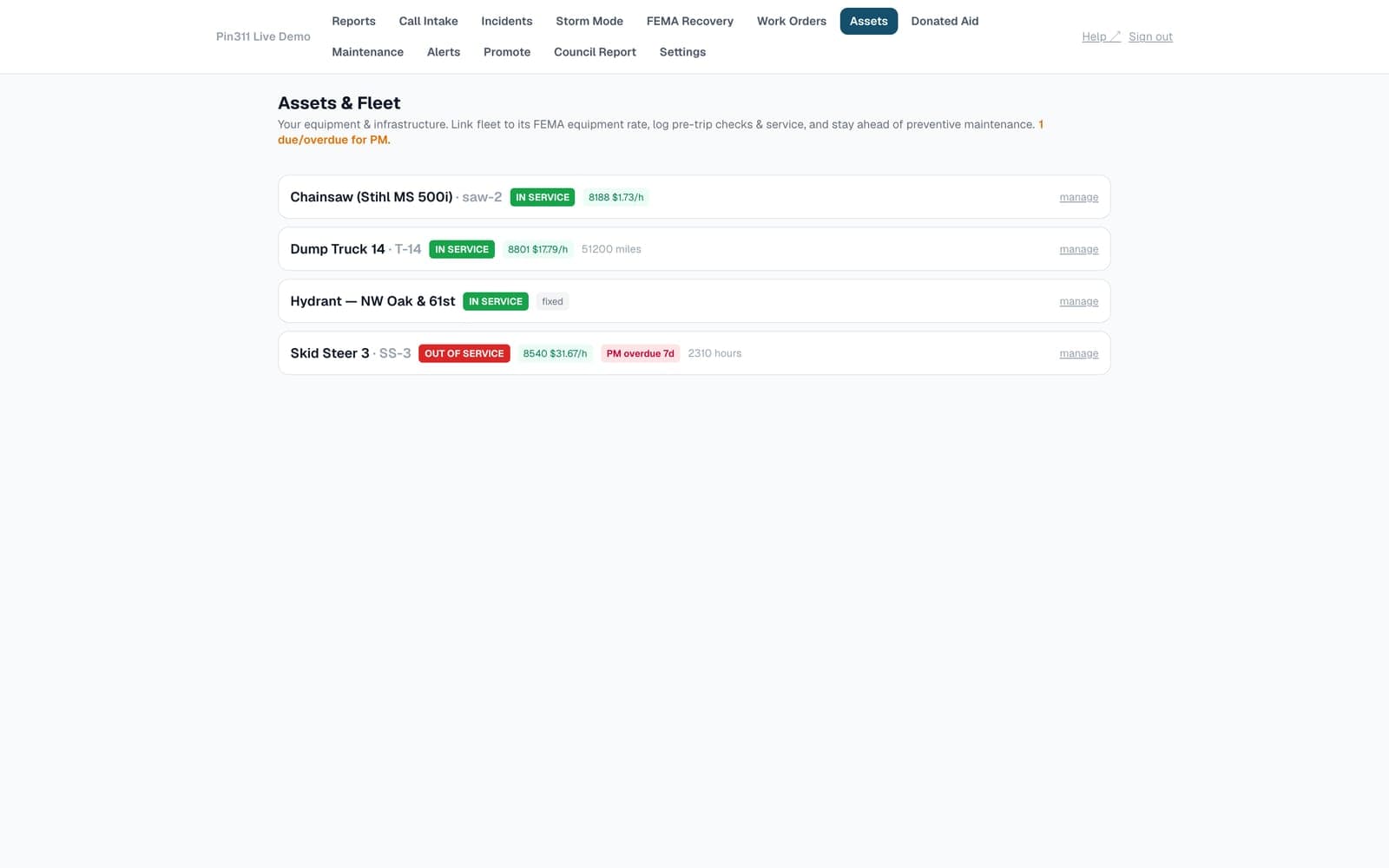
Assets & fleet↗
Register trucks and equipment, run daily pre-trip checks, link each to its FEMA equipment rate.
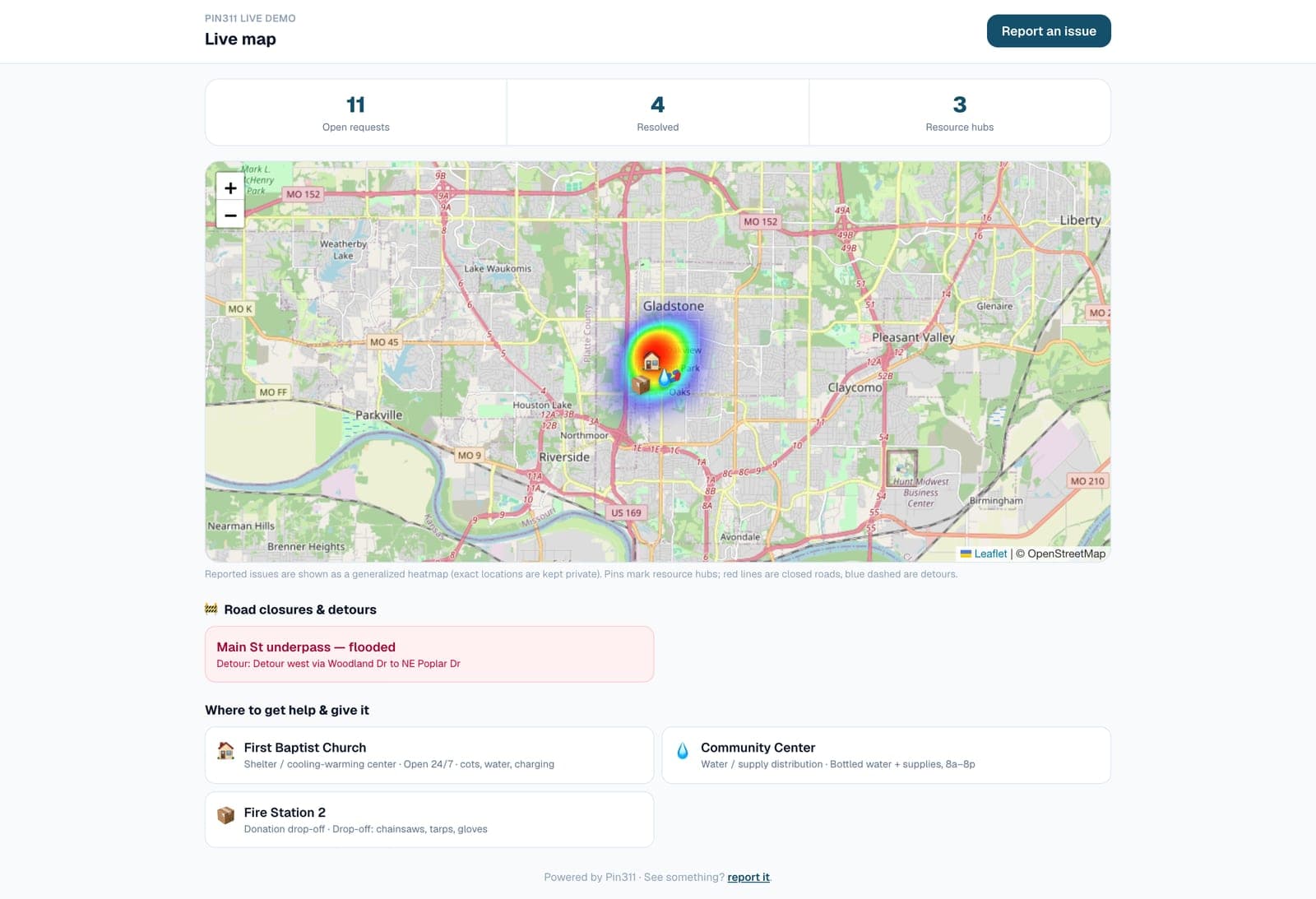
Public live map↗
A privacy-safe public map of reported issues, resource hubs and closures — share it anywhere.
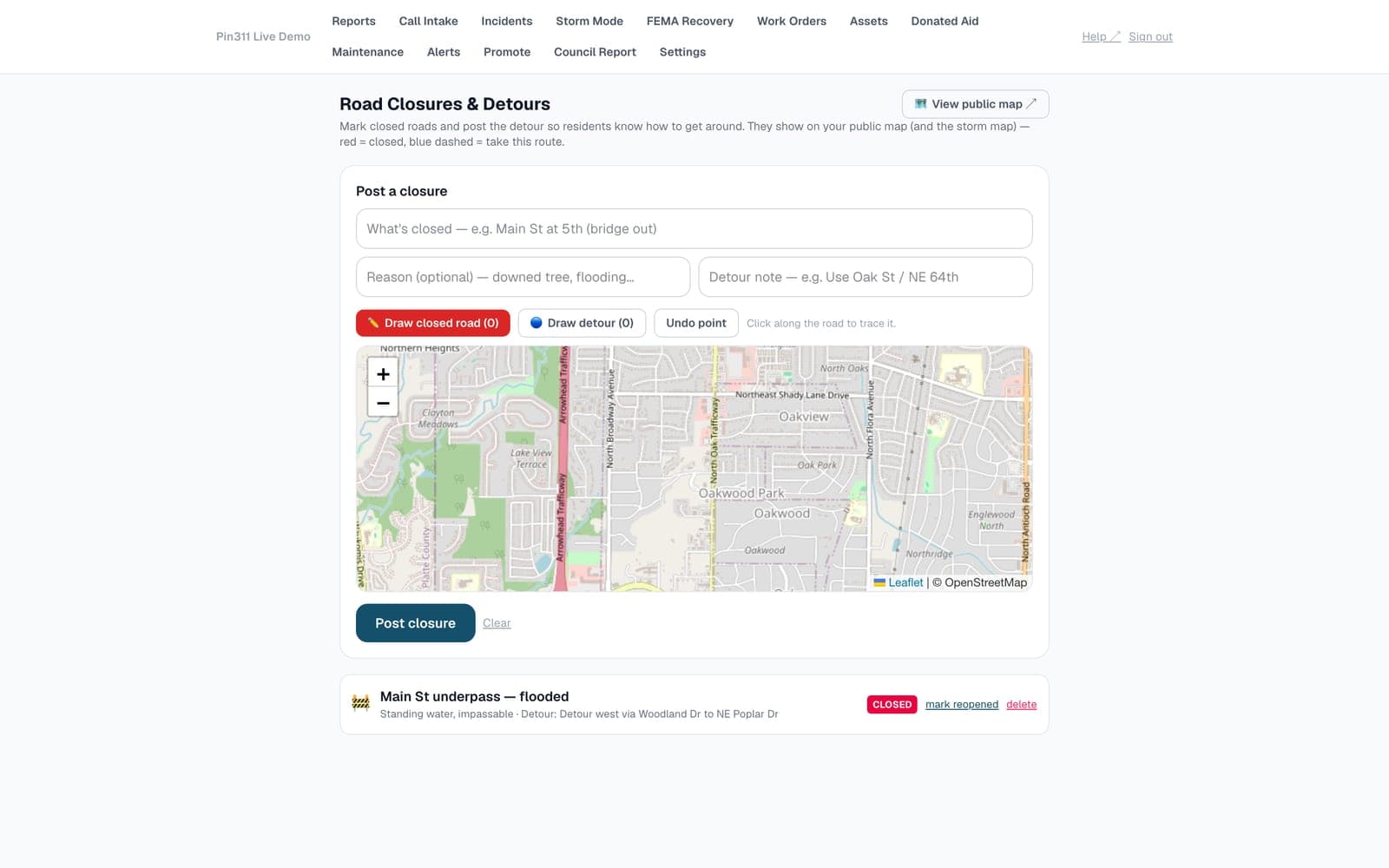
Road closures & detours↗
Trace closed roads and draw the detour route so residents see exactly how to get around.
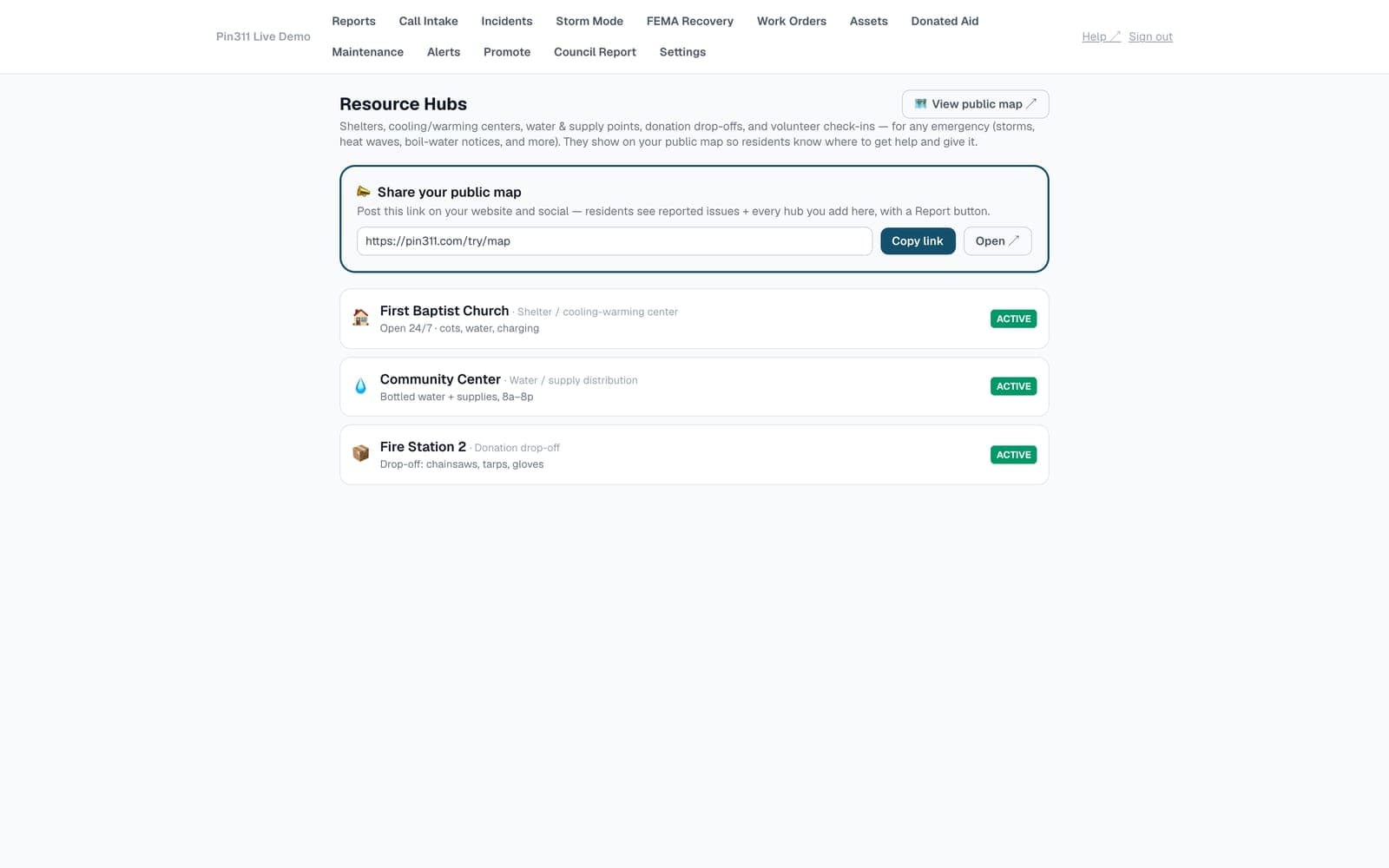
Resource hubs↗
Shelters, cooling centers, water points and donation drop-offs on the live map.
Want to drive it? Open the live demo → (demo@pin311.com / demo1234 for the admin side)
Why it matters
Know what you have before the paperwork starts.
Pin311 compares documented damage with the current per-capita impact indicators, prepares a Preliminary Damage Assessment export, and organizes crew and equipment time into a reimbursement worksheet. Your team still makes the eligibility decisions; the supporting record is easier to find.
No app
Residents report from any phone
Daily
311 + storms, due dates & status
FEMA
Aid threshold, PDA + reimbursement
When the storm hits
One map for damage reports and neighbor help.
Residents can report damage or ask for help from a phone browser. Neighbors can claim safe, non-emergency requests and record the work they completed. Officials can see the same community activity and review donated resources for possible cost-share credit.
Report
A resident drops a pin: “oak down across my elderly neighbor's driveway.”
Claim
A neighbor taps “I can help,” adds their name — the pin goes amber, help is en route.
Resolve
They add an after-photo and hours worked, then mark the request complete.
A different way to buy municipal software
Public pricing and a setup you can try today.
Many municipal systems require a sales process, implementation project, and separate disaster-recovery tools. Pin311 publishes its price and gives you a working reporting link before you commit to a rollout.
$2,500 a year for Pin311 Pro, with monthly billing available. Check your own purchasing policy before using a P-card.
Two straightforward plans
Start free. Add the full operations and recovery tools when you need them.
Community reporting is free. Pin311 Pro is $249 per month or $2,500 per year and includes the full operations and FEMA documentation workflow. Your local purchasing rules still apply.
Community
Free
No credit card. The ground everybody starts on.
- ✓Resident reporting — pin + photo, no app, no login
- ✓Call Intake for phoned-in reports
- ✓Live damage map, heatmap & incidents
- ✓FEMA per-capita threshold + PDA awareness
- ✓Neighbors helping neighbors — claim & clear
- ✓Assets, fleet & daily pre-trip checks
- ✓Unlimited field crews — never blocked in a storm
Pin311 Pro
$2,500/yr
or $249/mo · everything, every department, unlimited crews
- ✓Printable FEMA Disaster Packet with supporting records
- ✓Reimbursement worksheet: labor + equipment at official FEMA rates
- ✓Storm Mode — events anchored to live NWS alerts
- ✓Separate operating and standby equipment time
- ✓Procurement records + SAM.gov debarment checks
- ✓Debris haul-ticket manifests + right-of-way eligibility
- ✓Work orders, auto-routing & contractor clearance links
- ✓Volunteer records for possible cost-share credit
Optional add-on
Community Alerts — $99/mo (or $990/yr). Broadcast closures, boil-water notices & storm updates by email to every resident who opts in — or import the list you already have. Self-serve, cancel anytime; text (SMS) coming soon.
Included free
Close-the-loop email — the resident who reported automatically hears back as their issue moves to resolved. Part of the core, on by default, and a city can switch it off anytime.
Pin311 Pro includes every department and unlimited field crews — responders are never blocked during a storm. Resident email status updates are live; SMS notifications are coming soon. Community Alerts is request-access.
Set up the routine workflow before you need the emergency one.
Create the public reporting link, make one test report, and show your staff where it lands. That small step is much easier today than during a storm.
Free to start · web-only, no app · built by a firefighter